
⚠️ LIMITED OFFER: 70% off with coupon ADSGOOGLE
Enroll for 12.99$Would you like to master CNC design and machining with one of the most powerful tools on the market?
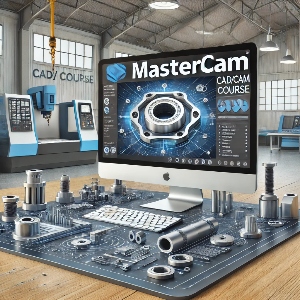
This Mastercam course will take you from the basics to advanced techniques, allowing you to create 2D and 3D models, optimize processes, and develop practical solutions for the industry.
This course is designed for beginners who want to get started with Mastercam and for professionals looking to refine their skills. Whether you’re a student or already working in the industrial sector, here you’ll find the tools you need to advance your career.
⚠️ LIMITED OFFER: 70% off with coupon ADSGOOGLE
Enroll for 12.99$Mastercam Course Content
This Mastercam course is designed to guide you from the fundamentals to advanced CNC design and machining techniques. Each module is structured so you can progress step by step in a practical way, allowing you to apply what you learn directly in real work environments.
▷ Module 1: Introduction and Setup
-
Installation and registration of Mastercam.
-
Initial software configuration.
-
Familiarization with the interface and main tools.
▷ Module 2: Basic 2D Drawing
-
Creating lines, circles, and geometric shapes.
-
Using the toolbar and selection modes.
-
Editing entities: trimming, joining, splitting, and adjusting lengths.
▷ Module 3: 3D Design and Modeling
-
Creating basic solids: cylinders, extrusions, and rotations.
-
Boolean operations and patterns (rectangular and circular).
-
Advanced techniques: shelling, filleting, and surface draft.
▷ Module 4: 2D Machining
-
Machine selection and stock setup.
-
Basic operations: facing, 2D contouring, and slot milling.
-
Drilling cycles and machining optimization.
▷ Module 5: 3D Machining
-
Advanced strategies: area roughing and rest machining.
-
Types of machining: raster, 3D contour, spiral, and radial.
-
Analysis and optimization of machined surfaces.
▷ Module 6: Lathe Machining
-
Lathe configuration and tool selection.
-
Facing, grooving, and threading operations.
-
Roughing and finishing techniques for internal and external parts.
▷ Module 7: Optimization and Final Analysis
-
Calculation of cutting times and tool efficiency.
-
Correction of common machining errors.
-
Strategies to maximize productivity in real industrial environments.
This course covers all the essential areas of Mastercam, from design to advanced machining. By the end, you’ll be fully prepared to use this tool in professional projects and optimize processes in the CNC industry.
Why Enroll in This Mastercam Course?
✅ Hands-on, practical learning: Every lesson is designed to solve real-world design and machining challenges.
✅ 24/7 access: Study at your own pace, anytime, anywhere.
✅ Up-to-date content: Includes the latest tools and techniques from Mastercam 2025.
✅ Professional certification: Earn a certificate of completion to validate your skills.
✅ Personalized support: Get your questions answered directly by the instructor.
✅ Career-oriented training: Develop the in-demand skills required in today’s CNC industry.
Thousands of students have already transformed their careers with this course.
You too can master Mastercam and stand out in the CNC industry.
Enroll now!
⚠️ LIMITED OFFER: 70% off with coupon ADSGOOGLE
Enroll for 12.99$Career Opportunities with Mastercam
Mastering Mastercam opens the door to a wide range of opportunities in the manufacturing industry. From part design to advanced machining, these skills are in high demand and offer excellent compensation.
Here are some key roles and their average salary ranges in Europe and Mexico:
🧩 CAD/CAM Designer with Mastercam
Responsibilities: Create and optimize 3D designs for machining using Mastercam’s advanced tools.
Average Salary:
-
Europe: €35,000 – €55,000 per year
-
Mexico: $525,000 – $825,000 MXN per year (≈ $43,750 – $68,750 MXN per month)
⚙️ CNC Programmer (Mastercam Specialist)
Responsibilities: Generate optimized toolpaths and CNC codes for manufacturing processes.
Average Salary:
-
Europe: €40,000 – €60,000 per year
-
Mexico: $600,000 – $900,000 MXN per year (≈ $50,000 – $75,000 MXN per month)
🛠️ Advanced CNC Machine Operator
Responsibilities: Set up and operate CNC machines using Mastercam-generated toolpaths.
Average Salary:
-
Europe: €30,000 – €45,000 per year
-
Mexico: $450,000 – $675,000 MXN per year (≈ $37,500 – $56,250 MXN per month)
🏭 CNC Production Supervisor
Responsibilities: Coordinate and oversee machining processes, ensuring precision and quality in production.
Average Salary:
-
Europe: €45,000 – €65,000 per year
-
Mexico: $675,000 – $975,000 MXN per year (≈ $56,250 – $81,250 MXN per month)
🚀 CNC Manufacturing Consultant or Entrepreneur
Opportunities: Offer specialized CNC design and machining services, or start your own business.
Income Potential:
-
Europe: €6,000 – €12,000 per month (depending on clients and projects)
-
Mexico: From $100,000 MXN per month, with strong growth potential.
With the skills you’ll gain in this Mastercam course, you’ll be ready to take on key roles in the manufacturing industry and earn a competitive salary.
Enroll today and transform your career!
⚠️ LIMITED OFFER: 70% off with coupon ADSGOOGLE
Enroll for 12.99$Start Your Mastercam Journey Today!
Thousands of students are already applying what they’ve learned in their jobs.
Don’t miss this opportunity — take your skills to the next level!
Frequently Asked Questions
Do I need prior experience to take this course?
No, this course is designed for both beginners and professionals. You’ll learn from scratch and gradually progress to more advanced techniques.
Which version of Mastercam is used in the course?
We’ll be working with Mastercam 2025, but the concepts also apply to previous and future versions.
How long will I have access to the course?
Once you enroll on Udemy, you’ll have lifetime access to all course content, including future updates.
Will I get a certificate after completing the course?
Yes, upon completion, you’ll receive a certificate of completion recognized by Udemy.
Can I ask questions if I have doubts?
Absolutely! You can use the Q&A section on Udemy to ask questions directly to the instructor.
What tools or equipment do I need for this course?
You only need a computer with internet access.
Can I access the course from my phone or tablet?
Yes, Udemy allows access from mobile devices and tablets through its app.
If you have any other questions, feel free to contact me through the contact form or via Udemy.
I’m here to help you start your journey with Mastercam.
 Google
  Facebook